

SmartPlanning: your whole company in one overview
SmartPlanning is our system for managing projects, tasks, people and capacity. Instead of spreading the work over Notion, Planner, Excel and email, you get one place where everyone can see what is happening, who is doing it and when it will be done.
Sound familiar?
- Projects in one tool, tasks in another and customers in a third
- Nobody knows who is overloaded until a deadline slips
- Status meetings that are only about finding out where things stand
- Documents and decisions buried in emails and chats
SmartPlanning brings it all together, and tells people by itself when something needs attention.
The key views, from the inside
Roadmap
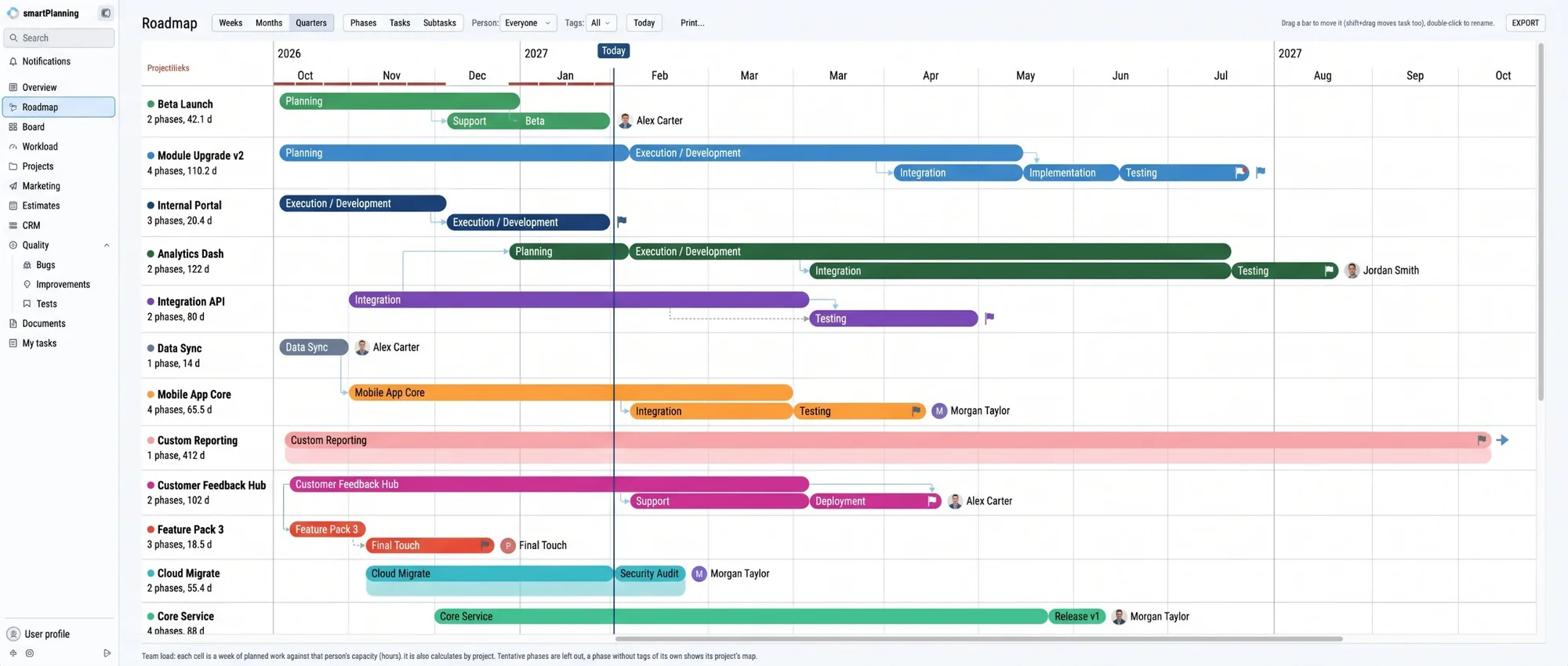
Every project on one timeline
See phases, tasks and subtasks for every project by week, month or quarter. Move a phase by dragging it, and see right away what depends on it.
- Dependencies and milestones between phases
- Filter by person and tags
- Drag to move, double-click to rename
- Export and print for the steering group
Projects
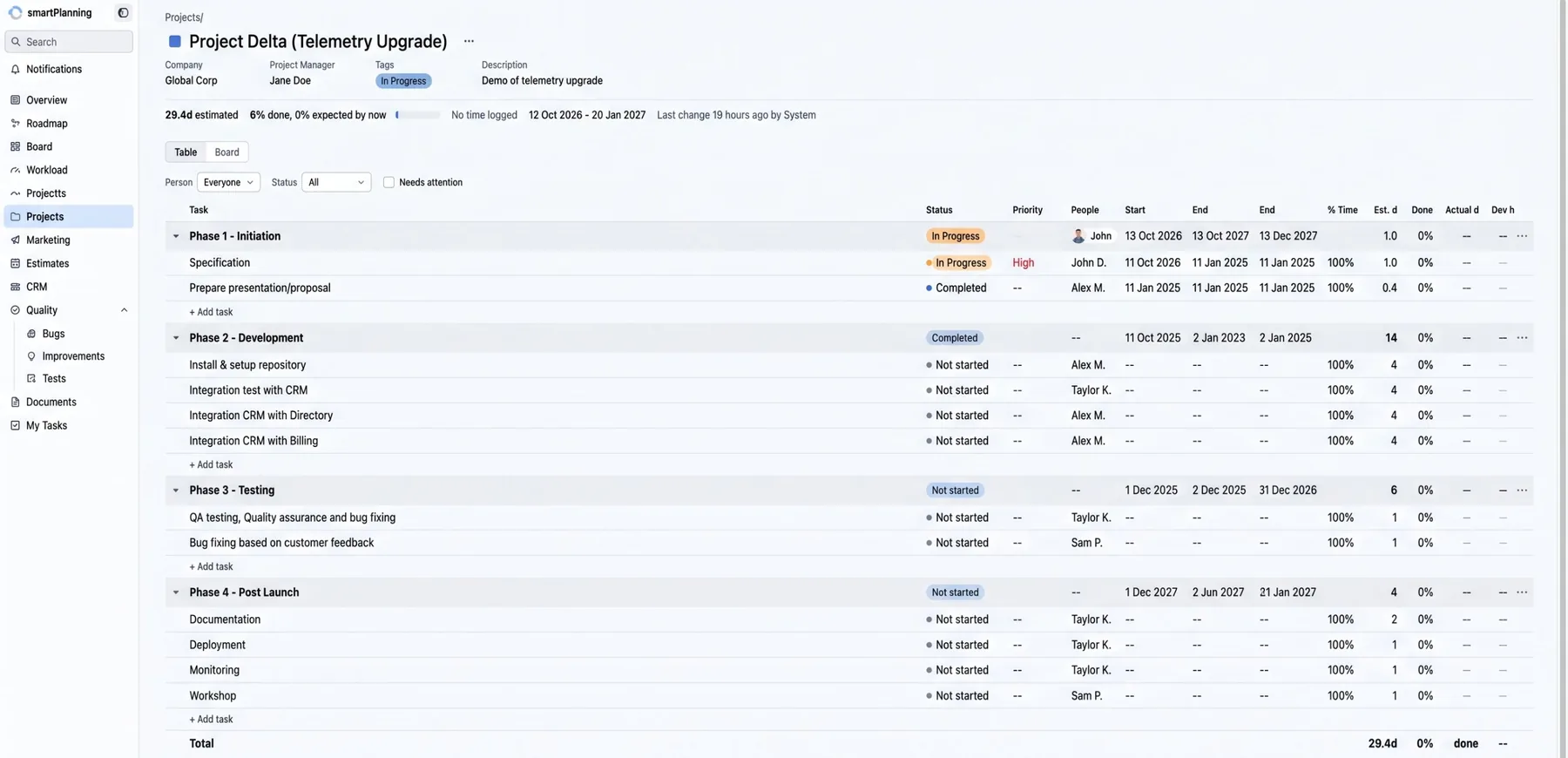
Phases, tasks, estimates and documents together
Every project has phases and tasks with status, priority, owner, dates and estimates. At the top you see how far the project has come, compared with how far it should be by now.
- Table and board view of the same project
- Estimated time, logged time and percent done
- Filter for tasks that need attention
- Specifications, requirements and timelines attached to the project
Capacity
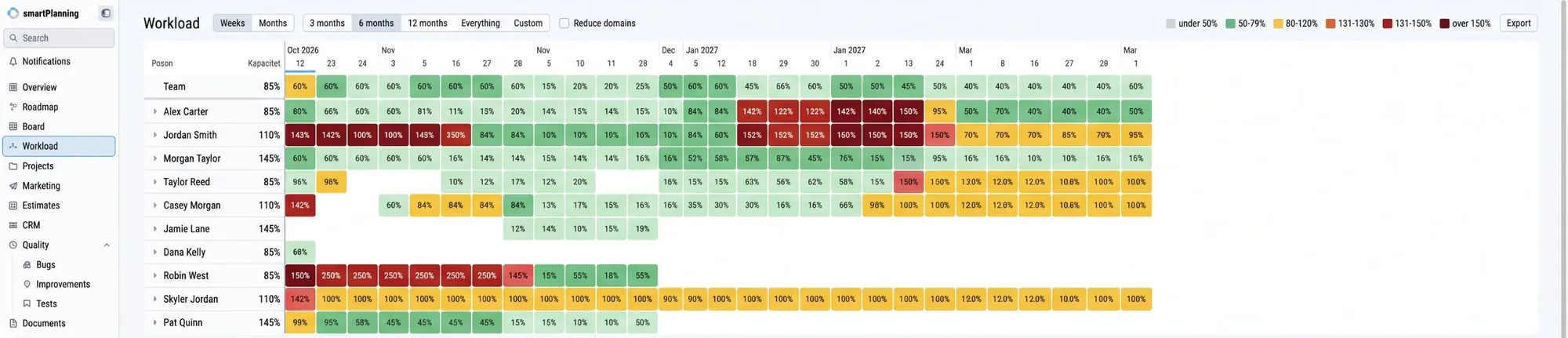
See who has too much, before it goes wrong
Workload shows each person’s load week by week against their capacity. The colours show at a glance where there is room, and where someone is overbooked.
- Load per person and per week, as a percent of capacity
- Demand against capacity per role
- Suggestions for how many more people would ease it
- Views for 3, 6 or 12 months
Everything the company needs to keep track of
SmartPlanning is built from modules. You use the ones you need, and we can add new ones that fit the way you work.
- OverviewStatus across every project and team
- RoadmapTimeline with phases, dependencies and milestones
- BoardTasks on a board, column by column
- WorkloadCapacity and load per person and role
- ProjectsPhases, tasks, estimates and time tracking
- EstimatesQuotes and estimates next to the projects
- CRMCustomers and contacts linked to projects
- MarketingCampaigns and activities in the same plan
- QualityBugs, improvements and tests together
- DocumentsSpecifications and files where they belong
- My tasksEach person’s own list
- Notifications and emailsAutomatic messages and push emails
Automatic emails, so nobody has to chase status
SmartPlanning keeps watch and tells the right people when something happens that they need to know about. That means fewer status meetings and fewer tasks falling between the cracks.
- A message when you get a new task
- Reminders before a deadline
- A warning when a task or project needs attention
- Notifications in the system and by email
Your system, not a standard tool
Because we built SmartPlanning ourselves, we can adapt it to your processes, connect it to your other systems and send the numbers on to SmartBoard for reporting. It is the same approach we use for all our custom systems.
See custom systemsFrequently asked questions
What is SmartPlanning?
SmartPlanning is a system from CC-Interactive for project management, task management and capacity planning. It brings roadmap, projects, tasks, workload, CRM, quality and documents into one place and sends automatic emails.
How is it different from Notion or Microsoft Planner?
Notion and Planner are general tools that each team sets up its own way. SmartPlanning is built to run a whole company’s projects and capacity, with set phases, estimates, load per person and automatic messages, and we adapt it to your processes.
Can SmartPlanning send emails automatically?
Yes. The system sends notifications and emails, for example when you get a task, when a deadline is close or when something needs attention.
Can it connect to our other systems?
Yes. We can integrate SmartPlanning with your existing systems and send data on to SmartBoard, so project and capacity numbers become part of your reporting.
Get a walkthrough of SmartPlanning
Book 30 minutes and we will show you SmartPlanning with projects, roadmap and capacity, and talk about how it can fit the way you work.